
ENZO CELEBRATION AI
Enzo Celebration AI: Put Yourself in the Enzo Fernández Meme
Upload the celebration clip and one photo. The person cupping his ears and making the talking gesture is replaced by your character, while the moves, camera and crowd sound follow the original.
From $4.99 per video · one-time payment · no subscription
Add the clip and your photo
1 photo + 1 clip · Up to 15 secondsWorkspace
Make Your Enzo Celebration AI Video
Your output
Up to 15 sec · 720p · source framing · source audio
Credits per video: 1
Private MP4 download
Estimated wait: about 2–5 minutes after submission. Longer clips, safety checks or a busy queue may take longer.
Generation is available
Add your photo, then press the button. A render that definitely fails returns the credit.
Photo: JPG, PNG, WebP · 10 MB. Video: H.264 MP4 · 1–15 s · 25 MB · max 1920 px.
Keep this page open until your request is submitted. Then collect your result in My videos.
Files upload only when you press Swap after signing in and buying credits.
Finished videos are kept for 6 days and show their expiry date. Download yours in time.
One consenting adult · clips and audio you have permission to edit
Real Enzo celebration swap test
Tested on with a five-second excerpt of a community remix of the celebration and a photo of a fictional adult character. Same settings as the tool, no retouching.
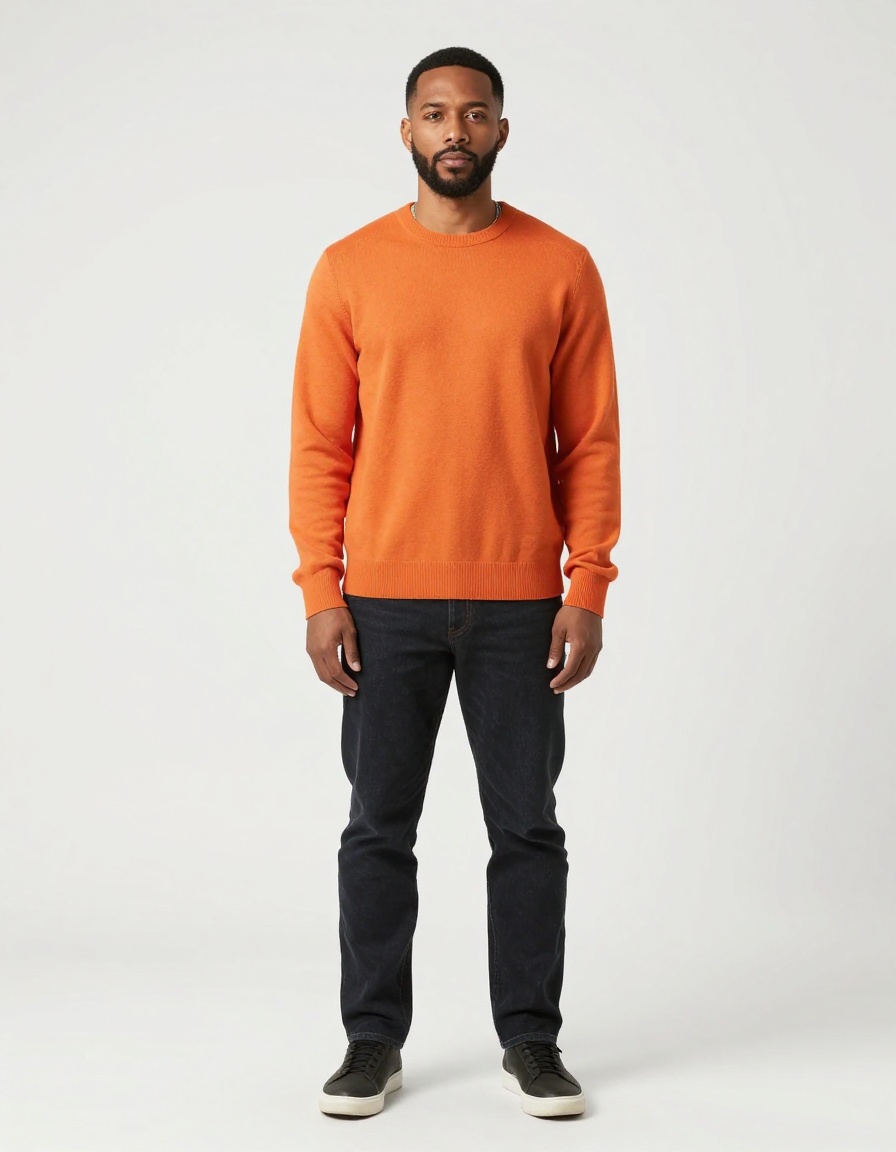
A fictional adult in an orange sweater.
The character cups his ears and makes the talking gesture. Players beside him and the background were also redrawn.
Reference clip: community remix on X, already AI-edited before our test. One short test, not a guarantee for every clip. See the source, photo and result side by side.
How to make the Enzo celebration AI video
Save the celebration clip
Use the version of the Enzo celebration you want to remix and trim it to the ear-cup moment. H.264 MP4, 1–15 seconds, up to 25 MB, no side longer than 1920 px.
Pick one character photo
One clear, well-lit photo of yourself or a consenting adult. Show the face, outfit and hair you want in the celebration.
Upload both and swap
Sign in, buy a video credit and press Swap. A video usually takes about 2–5 minutes; once it is submitted you can leave and collect it from My videos.
Review, then share
Download within 6 days. Check the face, hands and the players around your character, and label the video as AI-made when you post it.
What is the Enzo celebration?
Argentina midfielder Enzo Fernández celebrated a goal in the 2026 World Cup semi-final against England by putting his hands behind his ears, then opening and closing his fingers like a mouth. It is the “Topo Gigio” celebration long associated with Juan Román Riquelme, usually read as a reply to critics.
The AI version swaps someone else into that moment, such as yourself or a friend who agreed, doing the same ear-cup and talking gesture on the pitch. That is a character swap: one photo plus the original clip, rather than a face swap on a still image.
Tips for the celebration clip
Start on the celebration
Cut out the build-up and replays. A continuous shot that starts just before the hands go behind the ears gives the model the clearest motion to follow.
One main person in frame
There is no manual person selection, so keep the celebrating player as the clear main subject. Close-ups work better than wide shots with teammates crowding in.
Teammates may change too
Nearby players, shirts and the stadium can be redrawn. In our test the swapped character kept the gestures while the players beside him shifted slightly.
Works on other viral clips
Nothing here is tied to one match. Any short clip with one clear main person, such as a goal celebration, a dance or an interview, uses the same two uploads.
File limits
- Character photo
- One JPG, PNG or WebP, up to 10 MB. Use yourself, a consenting adult or an original adult character.
- Source video
- H.264 MP4, 1–15 seconds, up to 25 MB. Each side must be 128–1920 pixels. Trim longer clips before uploading.
- Video output
- MP4 with the 720p processing setting and source-guided framing. Exact pixel dimensions can vary. Original audio is requested; check the final sound and synchronization.
- Time and collection
- Allow roughly 2–5 minutes after submission, sometimes longer for queues or safety checks. This is an estimate, not a deadline. Return to My videos once your request is saved.
- Payment
- Single Video: $4.99. 3-Video Pack: $12.99. Each render uses 1 video credit. Both packs use the same settings; the larger pack does not render faster. No free generation or subscription.
- Private file storage
- Uploaded inputs are kept for up to 24 hours and results for 6 days. Download completed videos before they expire. Local browser drafts expire after 30 minutes.
Enzo Celebration AI FAQ
Do you provide the Enzo celebration clip?
No. You upload the clip you want to remix. We do not host or sell match footage, so use a copy you are allowed to edit and share.
Is this an official Enzo Fernández or FIFA tool?
No. This is an independent AI video tool, not affiliated with or endorsed by Enzo Fernández, his clubs, the Argentine Football Association or FIFA.
Can I put a celebrity in the Enzo celebration?
Only with their permission. Use your own photo or a photo of an adult who agreed to it. Do not use someone’s likeness to deceive, harass or imply they said or did something they did not. Content checks run on uploads and results.
How much does an Enzo celebration AI video cost?
Each video uses one credit. Single Video is $4.99 and the 3-Video Pack is $12.99, as one-off payments with no subscription. A render that definitely fails returns the credit.
Will the crowd noise and commentary stay?
The model is asked to keep the source audio, so stadium sound and commentary usually carry over. Check the sound and sync before you share.